
Afterpay on iPhone and Mac: Splitting Big Tech Buys Into Four
Afterpay is the app I reach for when a new iMac or a pricey accessory lands in my cart and I would rather not drop the whole sum at once. It splits a purchase into four payments, due every two weeks, with no interest if you pay on time. I have used it for everything from a Magic Keyboard to a full desktop upgrade, so in this guide I will walk you through getting it running, the features that actually matter, the tips that saved me money, and the spots where it falls short.
Getting Afterpay running on your iPhone and Mac
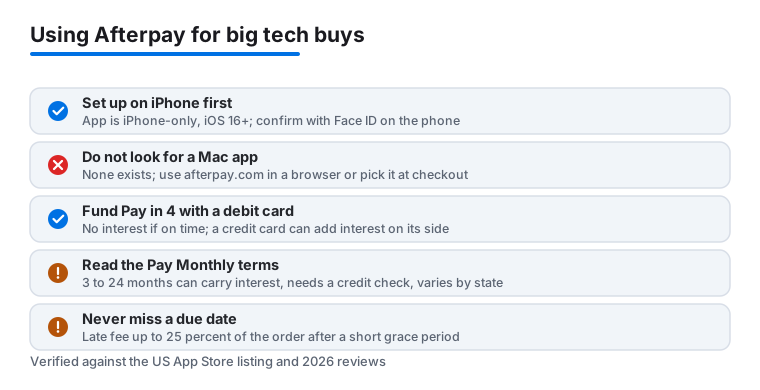
One thing to get straight up front, because the page title can mislead you: Afterpay is an iPhone app, full stop. The version on the App Store needs iOS 16 or later, and there is no iPad app, no Mac app, and no Apple Watch app. If you went looking for a desktop download on macOS, you will not find one, and any site claiming to offer an Afterpay Mac installer is not the real thing. So when this guide talks about using Afterpay on a Mac, it means using it through a web browser, not a native program.
Setup on the iPhone takes a couple of minutes. Grab the app from the App Store, open it, and sign up with your email, phone number, and a debit or credit card. The app runs a soft eligibility check that does not put a hard pull on your credit, and in my testing the decision came back in under a minute. You start with a modest spending limit, and it climbs over time as you pay things off on schedule. Expect to verify your identity and link a real funding card before your first purchase clears.
On a Mac the flow is split across two devices. You can shop through Safari or any browser at afterpay.com and sign into your account there, or pick Afterpay as the payment method at checkout on a retailer's own website. Both work fine on macOS. My honest tip: set up the account on your iPhone first, because the phone is where you confirm payments, tap through Face ID, manage your schedule, and receive the reminders. The Mac is good for browsing a big catalog on a real screen, then you finish the order with your phone in hand. If you shop mostly at a desk, the lack of a desktop app is a genuine friction point.
The features that actually matter
After a stretch of regular use, these are the parts of Afterpay I lean on most.
- Pay in 4. Pay 25 percent today, then three more equal chunks every two weeks, which works out to roughly six weeks end to end. For a 1,200 dollar iMac that is four payments of 300, far gentler on a single paycheck. No interest if every payment lands on time.
- Pay Monthly. This is newer and worth knowing about. On eligible orders at participating brands, you can stretch the cost over 3, 6, 12, or 24 months instead of the standard four payments. The catch is that Pay Monthly is a different product: it can carry interest, it is subject to a credit check and approval, and it is not offered in every state. Read the terms on that screen before you tap accept, because it does not behave like the no interest Pay in 4 plan.
- The in app shop directory. The app lists thousands of stores that take Afterpay, plus some app exclusive brands and deals, so I start there to see who is running an offer before I commit.
- The Afterpay Card for in store buys. From the In-store tab you can set up a digital Afterpay Card and add it to Apple Wallet. Then you tap your iPhone at a physical Apple Store or electronics shop and the installment plan gets set up automatically, the same as paying with any card in Wallet.
- Clear payment scheduling. The home screen and the My Afterpay tab show exactly what is due and when, which keeps me from getting blindsided. You can also delay a payment date up to three times a year from that tab if money is tight one fortnight.
- Pulse rewards. Pay on time and you earn points that move you up tiers. Worth a caveat: the original Pulse Rewards program closed in early 2024 and Afterpay later relaunched it, so the perks are not identical to older guides. The current setup has a standard tier and a premium tier, with things like early access to sales and promo codes. The old benefit of choosing your own payment date is no longer tied to Pulse, though the delay option above covers most of that need.
None of this is buried behind menus. The interface is one of the cleaner finance apps I have used.
Practical tips from real purchases
A few habits made Afterpay work in my favor rather than against me. First, on Pay in 4 I link a debit card, not a credit card. Funding an installment plan with a credit card means you can rack up interest on the credit side, which quietly defeats the whole point of paying nothing extra. If you are using Pay Monthly, the math is different anyway, since that product may charge interest on its own.
Second, I turn on every notification the app offers. The reminders land a couple of days before money is due, and that lead time has saved me from a late fee more than once. Third, when I plan a big tech buy like a desktop, I check my available limit in the app a day ahead. If it is short, making an early payment on an existing order frees up room. Fourth, I keep my orders to two open plans at a time. It is tempting to split three or four things at once, but staggering them keeps the biweekly total predictable, which is the whole reason I started using it.
One more thing for desktop shoppers. Because there is no Mac app, I build my cart in the browser on the Mac, then switch to the phone to confirm and authorize with Face ID. Keep both signed into the same account and the handoff is quick. If a purchase is large, I sometimes split part of it on Afterpay and pay the rest with a regular card, which keeps each installment small while still getting the gear home.
Privacy note: the app wants a fair bit of data to set your limit, including your funding card and identity details, and it can report missed payments. Treat it like the credit product it is, not a casual wallet.
The limits and downsides to know
Afterpay is not magic, and a few things genuinely annoy me. Your starting limit is low, so do not expect to walk in and finance a top spec iMac on day one. It takes a stretch of on time payments before the ceiling rises enough for a major purchase. The lack of a true Mac app also stings if you shop at a desk, since you bounce between the website and your phone to finish an order.
Then there are the late fees, and they are real money. Miss a payment and Afterpay typically gives a short grace period, often around ten days, then charges a late fee that can run up to 25 percent of the order, capped per order. Miss too many and your account is frozen until you settle up. There is no interest on standard Pay in 4, which is the headline, but those fees add up fast on a big purchase. Pay Monthly is a separate story, since it can carry interest and goes through a credit check, so it is not the same no cost arrangement.
Afterpay also does not work everywhere. Some retailers cap it at lower amounts, exclude it on clearance items, or only offer Pay in 4 and not Pay Monthly. An expensive build may not qualify even when the store is listed, so read the checkout screen carefully before you assume a purchase is splittable. And availability for Pay Monthly varies by state, so what a friend sees may not be what you get.
Good alternatives worth comparing
Afterpay is one of several buy now pay later options, and the right pick depends on how you shop. Klarna offers similar four payment plans plus longer financing on bigger items. Installments offered directly at Apple's own checkout keep everything inside Apple Wallet and can feel simpler for Mac and iPhone gear, so check what Apple presents at the payment step before reaching for a third party app. PayPal Pay in 4 is handy if you already live in PayPal.
It also helps to look at how Afterpay sits next to everyday payment apps. I compared notes in our Venmo versus other payment apps guide, and if your bank already does the heavy lifting, our look at what makes the Chase app stand out is worth a read before you add another installment service. For the full picture on desktop money apps, browse our best finance apps for Mac roundup, or step up to the wider Finance hub to see every category we cover.
FAQ
Does Afterpay have a real Mac app?
No, there is no native Mac app, and there is no iPad or Apple Watch app either. The app is iPhone only and needs iOS 16 or later. On a Mac you use Afterpay through the website at afterpay.com or by choosing it as a payment method at a retailer's checkout. The full experience, including Face ID confirmation and reminders, lives on your iPhone.
Will using Afterpay hurt my credit score?
Signing up for Pay in 4 uses a soft eligibility check that does not affect your score. Missed payments can be reported and will hurt you, so treat each plan like a real bill. Note that the newer Pay Monthly product is different: it is subject to a credit check and approval and can carry interest, so it is not the same no cost arrangement as Pay in 4.
Can I finance a full iMac on Afterpay right away?
Probably not on day one. New accounts start with a low spending limit that grows as you make payments on time. A high priced desktop may need a few smaller purchases first, or you can split part of the cost and cover the rest another way. Some retailers also cap or exclude Afterpay on big or clearance items.
What happens if I miss a payment?
Afterpay usually offers a short grace period, often around ten days, then charges a late fee that can be up to 25 percent of the order and is capped per order. Your account is paused until you bring it current. There is no interest on Pay in 4, but the fees add up, so I keep notifications on to stay ahead of every due date.